Manage Environments
An environment is a grouping of clusters and assets contained within an enterprise. Environments are a convenient way to group workloads by team, like dev, prod, and demos.
What you'll get
- Create, view, and delete environments from the dashboard; attach/detach clusters via CLI
- Group cabinets by environment; config hierarchy (environment scope) applies to all cabinets in the environment
Prerequisites
- Codiac account and an enterprise (or Hosted Sandbox)
Create an environment
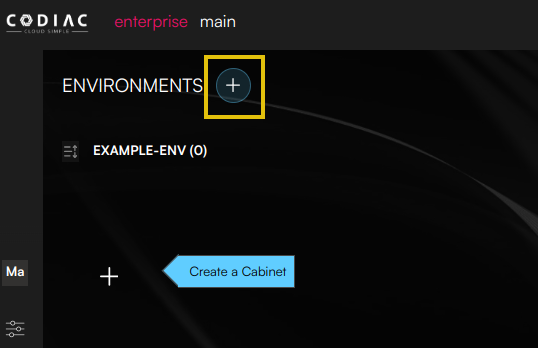
- To create an environment, go to the main page, then click +.
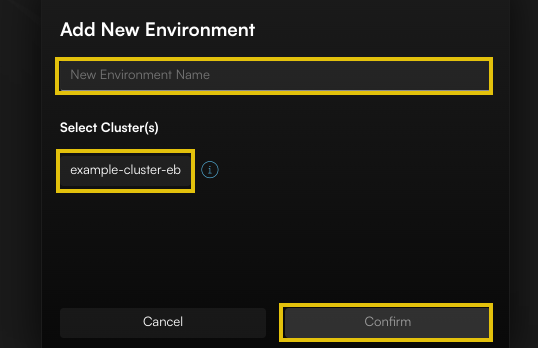
- Name the environment, select the cluster, then click Confirm to create the new environment.
View environments
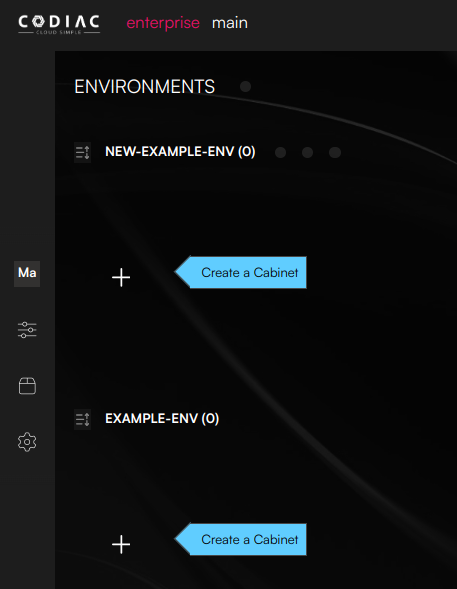
- To view existing environments, go to the main page. This image shows an account with two environments named new-example-env and example-env.
Delete an environment
You can only delete an empty environment. Before deleting your environment, you must remove any assigned assets or cabinets.
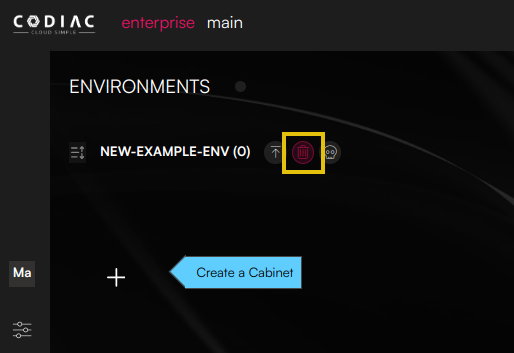
- To delete an environment, go to the main page. Click Delete environment.
Attach a cluster to an environment
Use the CLI to attach a cluster to an environment..
Detach a cluster from an environment
Use the CLI to detach a cluster from an environment..
What's next
- Manage cabinets – Create cabinets in an environment
- Manage enterprises – Create enterprises
- CLI: Environments – Attach/detach clusters
- Dynamic configuration – Config by environment