Manage Ingress and Domain Routing via Web UI
Codiac simplifies the process of setting up ingress routing to your assets by configuring Kubernetes Ingress resources automatically. To access your assets using an external domain name, you need to:
What you'll get
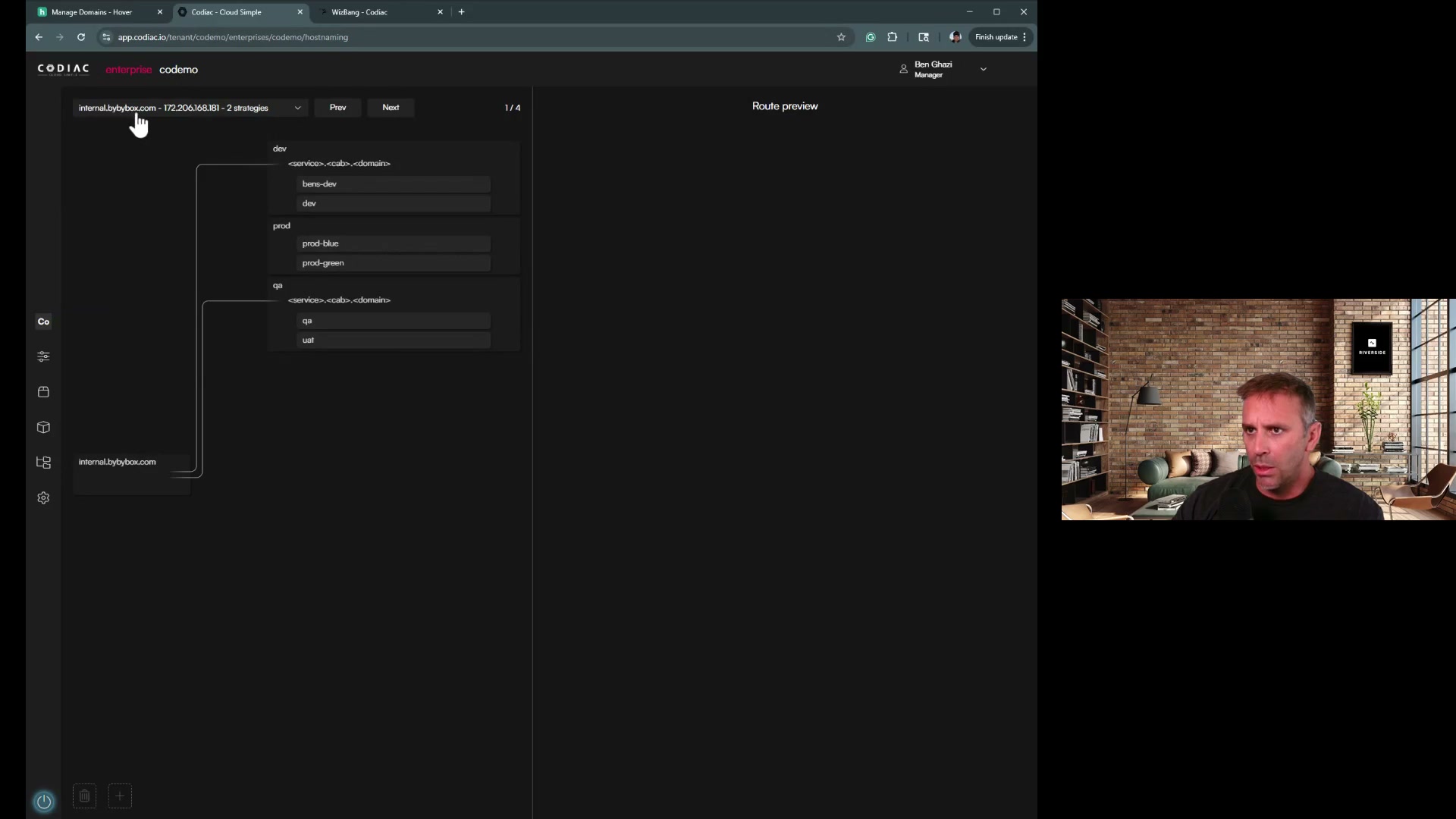
- Host maps (domain → asset) at enterprise, environment, or cabinet scope; Codiac manages ingress and TLS inside the cluster
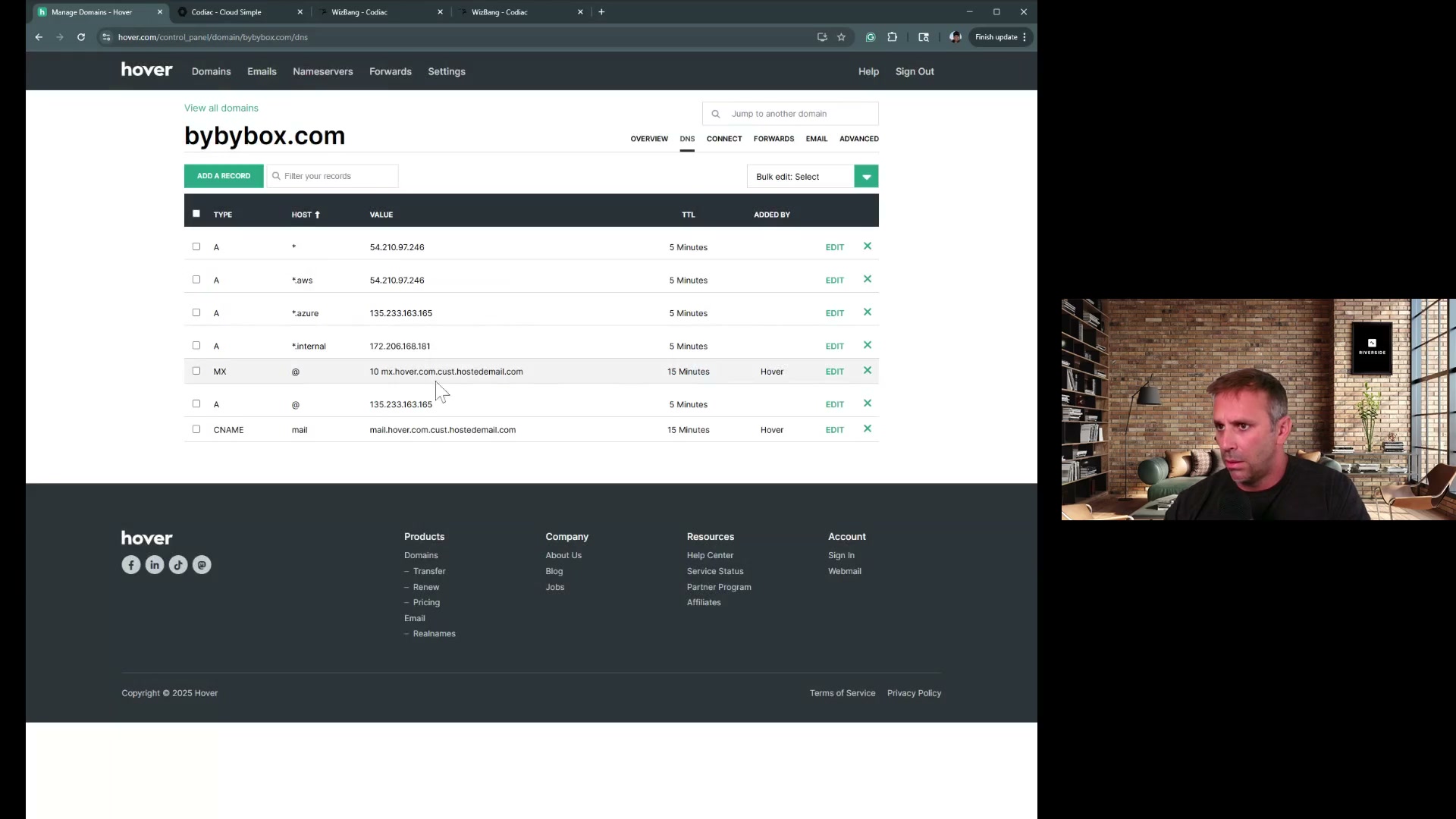
- You add DNS records in your provider (Cloudflare, Route53, etc.) pointing to the cluster; full host map management via CLI
Prerequisites
- Codiac account and at least one cluster with ingress and at least one asset with ingress enabled
- Access to your DNS provider to add A/CNAME records
- Set up the Codiac hostmap (configures ingress routing inside the cluster)
- Update your domain name's DNS records (in your DNS provider - Cloudflare, Route53, etc.)
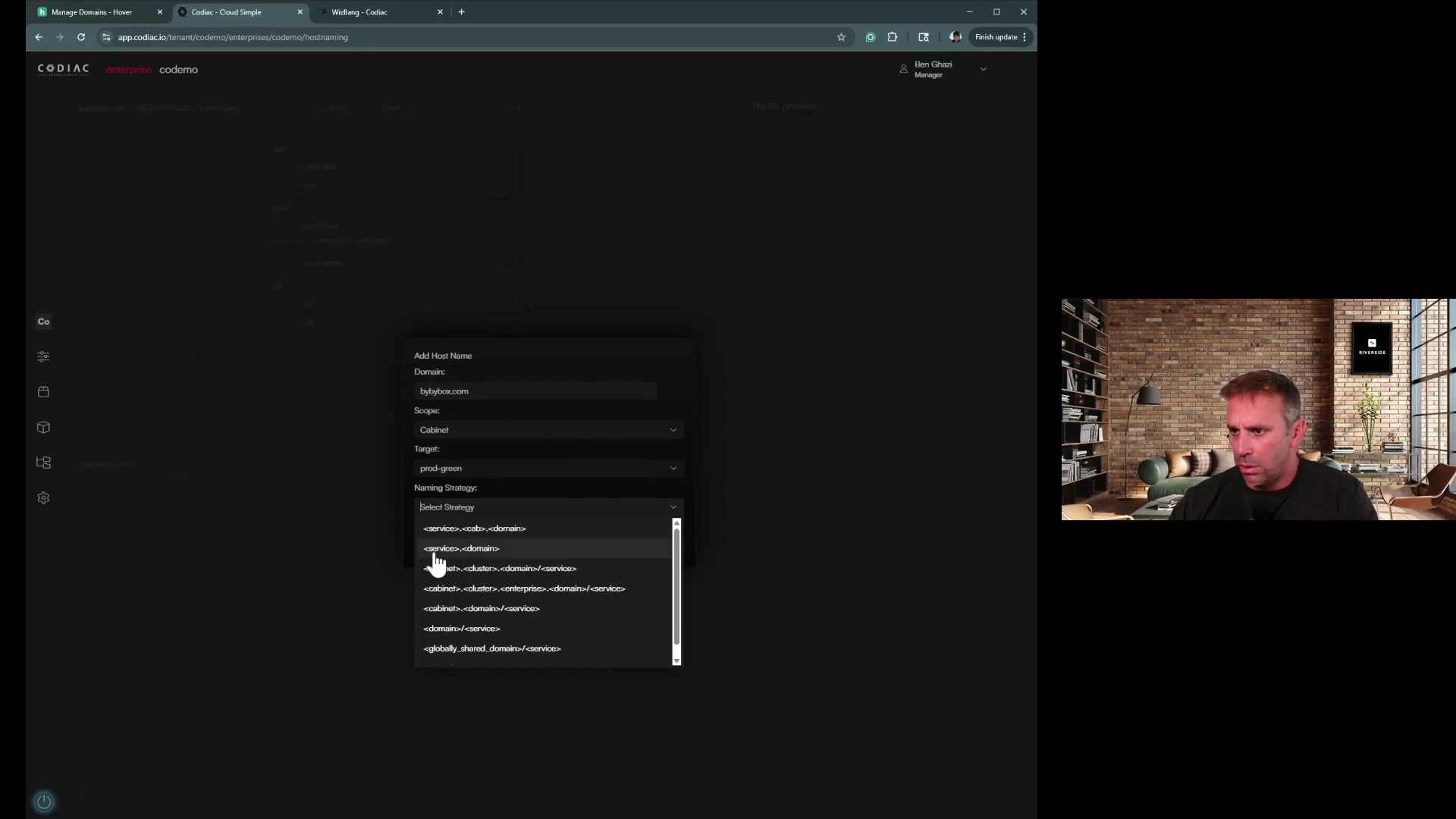
IMPORTANT: Codiac manages ingress routing inside the cluster (Kubernetes Ingress resources, TLS certificates, paths). You must configure DNS separately in your domain registrar or DNS provider to point your domain to the cluster's ingress IP.
Use the CLI to manage ingress and domain routing.
What's next
- CLI: DNS & Ingress – Host map commands
- Manage ingress – Enable ingress on assets
- Certificate management – How TLS works