Sandbox to Production
Everything you built in your Hosted Sandbox is production-portable. This guide walks you through graduating from a sandbox to your own cloud infrastructure, same configs, same structure, same deployment patterns. Total time: 30–60 minutes with proper credentials.
What you'll get
- Your sandbox workload running on your own cluster (AWS, Azure, or existing Kubernetes)
- Same enterprise, environments, cabinets, and assets, with production configs applied
- Custom domains and TLS, dynamic configuration, and a path to Zombie Mode, RBAC, and cluster hopping
- About 15–30 minutes if you already have a cluster, or 30–45 minutes if you create one
Prerequisites
- A Codiac account with a Hosted Sandbox you've used (assets and configs defined)
- An AWS or Azure account with permissions to create Kubernetes clusters, or an existing cluster to capture
- Codiac CLI installed (optional but recommended for cluster create/capture)
Before you start, make sure you have:
| Credential | Why You Need It |
|---|---|
| Cloud provider admin access | Create clusters, assign IPs, configure networking |
| Container registry credentials | Pull images (ACR, ECR, Docker Hub, etc.) |
| DNS control | Point subdomain to cluster ingress |
With these ready, the migration goes smoothly without delays.
What You Built in the Sandbox
Your sandbox already contains the core Codiac building blocks:
| Component | What it is | What carries over |
|---|---|---|
| Enterprise | Your organizational container | Name, structure, asset definitions |
| Environment | Grouping for cabinets | Configuration hierarchy |
| Cabinet | Isolated runtime space | Asset list, config values |
| Assets | Deployed services | Image references, port configs, ingress rules |
| Configurations | Environment variables and settings | All config key-value pairs |
None of this is sandbox-specific. These are standard Codiac primitives that work identically on your own infrastructure.
Step 1: Set Up Your Cloud Account
Connect your own Kubernetes clusters to Codiac. You'll need:
- An AWS or Azure account with permissions to create Kubernetes clusters
- The Codiac CLI installed (optional, but recommended for cluster operations)
Create a cluster
codiac cluster create
Follow the prompts to select your cloud provider, region, node type, and cluster parameters. Codiac provisions the cluster, installs the agent, cert-manager, and ingress controller.
Or capture an existing cluster
codiac cluster capture
Connect a cluster you've already provisioned. Codiac installs its lightweight components without disrupting existing workloads.
Step 2: Create Your Production Environment
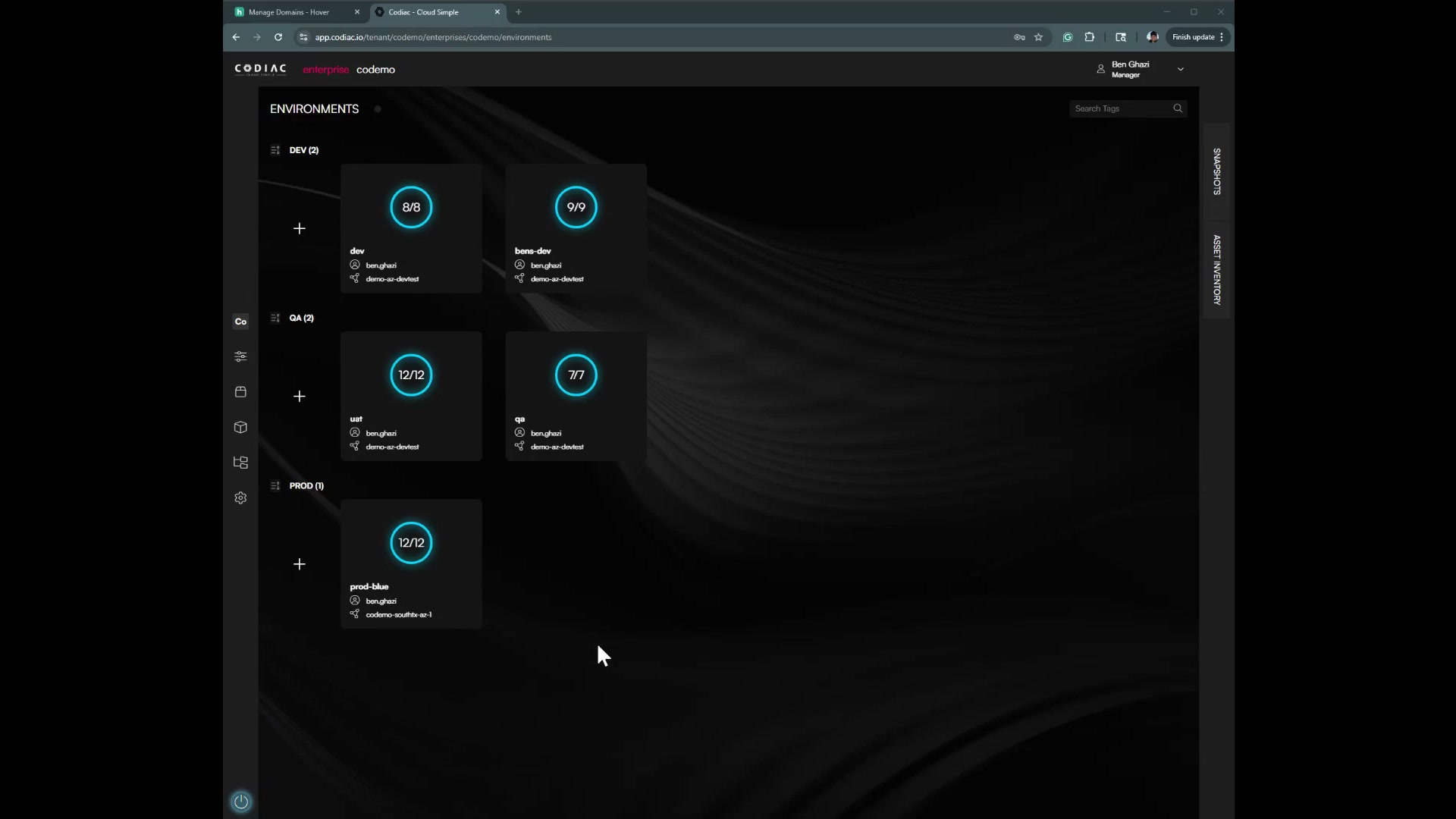
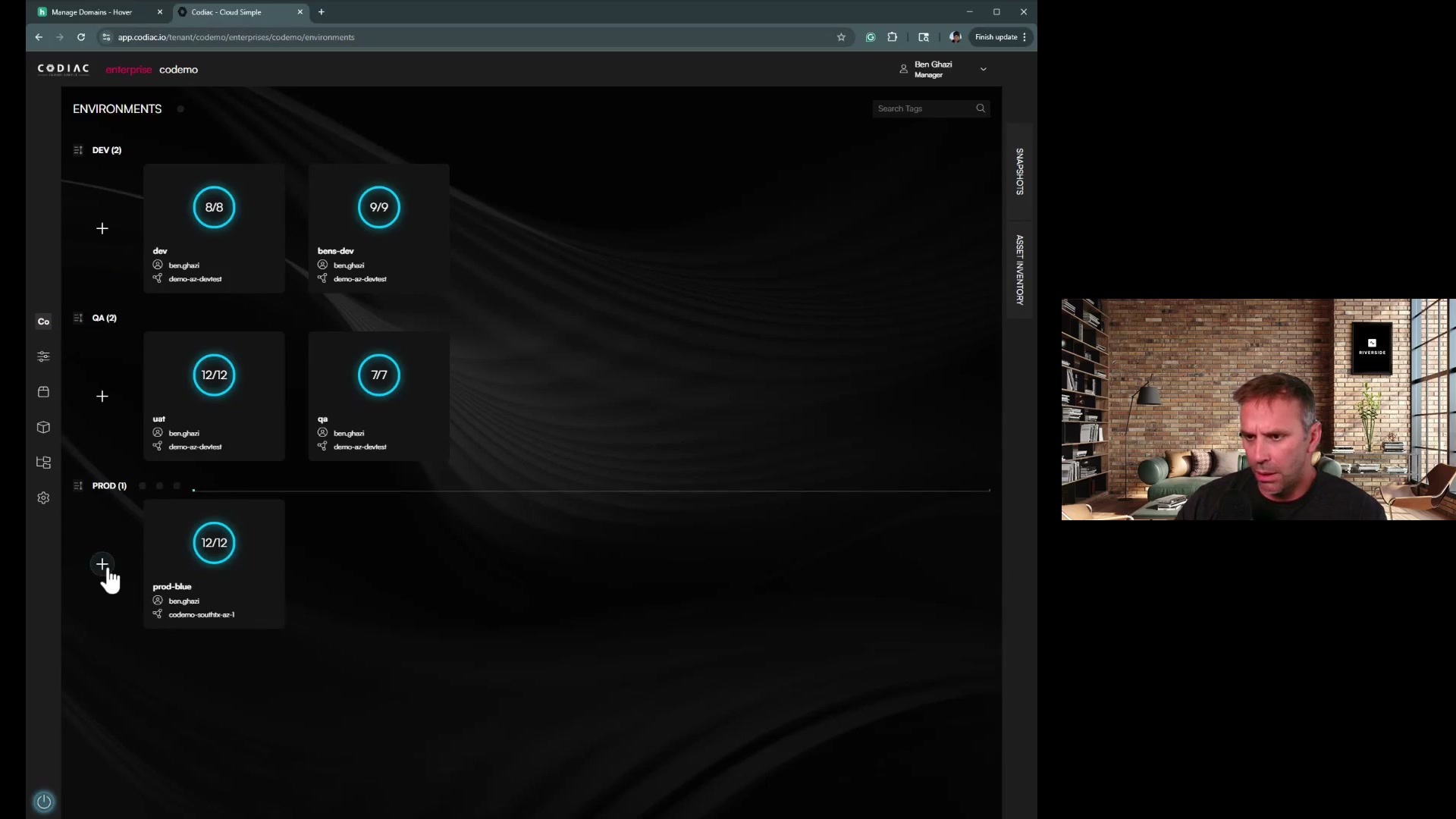
Create a new environment on your own cluster:
- In the Codiac dashboard, click + to create a new environment
- Name it (e.g.,
production,staging, ordev) - Select your newly created cluster
- Create a cabinet within the environment
Step 3: Deploy Your Assets
Your asset definitions from the sandbox are already in Codiac. Deploy them to your new cabinet:
- Open your new cabinet in the dashboard
- Drag assets from the Asset Inventory panel into your cabinet
- Or use the CLI:
codiac asset deploy
# Select your asset, version, and target cabinet
Step 4: Configure for Your Environment
Codiac's dynamic configuration lets you set environment-specific values without rebuilding images:
codiac config set
# Select scope (environment or cabinet), key, and value
Set your production database URLs, API keys, feature flags, and other environment-specific settings. Your sandbox configs serve as a template - adjust values for your new environment.
Step 5: Configure DNS
Map your custom domain to your assets:
codiac host map
# Follow prompts for domain, scope, and host naming strategy
Update your DNS records with the provided IP address. Codiac automatically provisions TLS certificates via Let's Encrypt.
See DNS & Ingress Guide for details.
What Your SRE Team Gets
When you hand off your sandbox-proven stack to your infrastructure team, they inherit:
- A clean enterprise structure - organized by environments and cabinets, not ad-hoc scripts
- Versioned deployments - every deployment captured as an immutable snapshot
- Reproducible environments - clone any environment with one command
- Configuration hierarchy - enterprise → environment → cabinet → asset, with proper inheritance
- No tribal knowledge required - Codiac's dashboard shows everything: what's deployed, what version, what config
Enterprise Features Unlocked
Your own infrastructure unlocks capabilities that sandboxes don't include:
| Feature | What it does |
|---|---|
| Custom domains | Map your own DNS to any service |
| Secrets management | Integrate with AWS Secrets Manager, Azure Key Vault |
| Zombie Mode | Cut non-prod costs 60-75% with automated scheduling |
| Multi-environment promotion | Promote snapshots from staging to production |
| Cluster hopping | Zero-downtime Kubernetes version upgrades |
| System versioning | Full snapshot and rollback across all services |
| RBAC | Granular role-based access control |
| Geoproximity routing | Route users to the nearest cluster |
The Confidence Gap
This is the gap nobody else closes:
Other platforms give you a demo. You try a sandbox, then start over from scratch when you're ready for production. Different configs, different patterns, different infrastructure.
Codiac gives you a running environment you can graduate. Sandbox → your cloud → enterprise. Same platform, same configs, same confidence. Your SRE team inherits a proven, versioned, reproducible environment - not a pile of scripts and tribal knowledge.
What's next
- Cluster Management – Create and manage your own clusters
- Dynamic Configuration – Master config-on-deploy
- System Versioning – Understand snapshots and rollbacks
- Zombie Mode – Cut non-production costs automatically
- Enterprise Installation Options – SaaS, self-hosted, and hybrid options