Zero-Downtime Cluster Upgrades
Upgrade Kubernetes versions, node pools, and cluster infrastructure without downtime or risk. Codiac's blue/green cluster approach eliminates the anxiety of in-place upgrades by creating a fresh cluster and migrating workloads seamlessly.
The Codiac CLI guides you through each command interactively. You don't need to memorize flags, just run the command and the CLI prompts you for what it needs.
The Problem: Upgrade Anxiety
Traditional Kubernetes cluster upgrades are high-risk operations:
- In-place version upgrades risk breaking production workloads
- Node pool rolling updates cause cascading pod evictions
- Manual coordination required across teams for upgrade windows
- Rollback complexity when upgrades fail mid-process
- Testing challenges - can't validate new version without affecting production
- Multi-hour maintenance windows required for large clusters
Statistics:
- Gartner forecasts 75% of orgs will run containerized apps by 2026
- Average cluster upgrade takes 2-4 hours (AWS EKS best practices)
- Most teams delay upgrades due to risk, falling behind on security patches
How Codiac Solves It: Blue/Green Cluster Migration
Instead of in-place upgrades, Codiac uses a blue/green cluster strategy:
- Create new cluster with desired Kubernetes version
- Deploy workloads to new cluster (using existing snapshots)
- Validate new cluster with production traffic
- Switch traffic from old cluster to new cluster
- Decommission old cluster when confident
Key advantage: Old cluster remains untouched until you're confident in the new one. Instant rollback if issues arise.
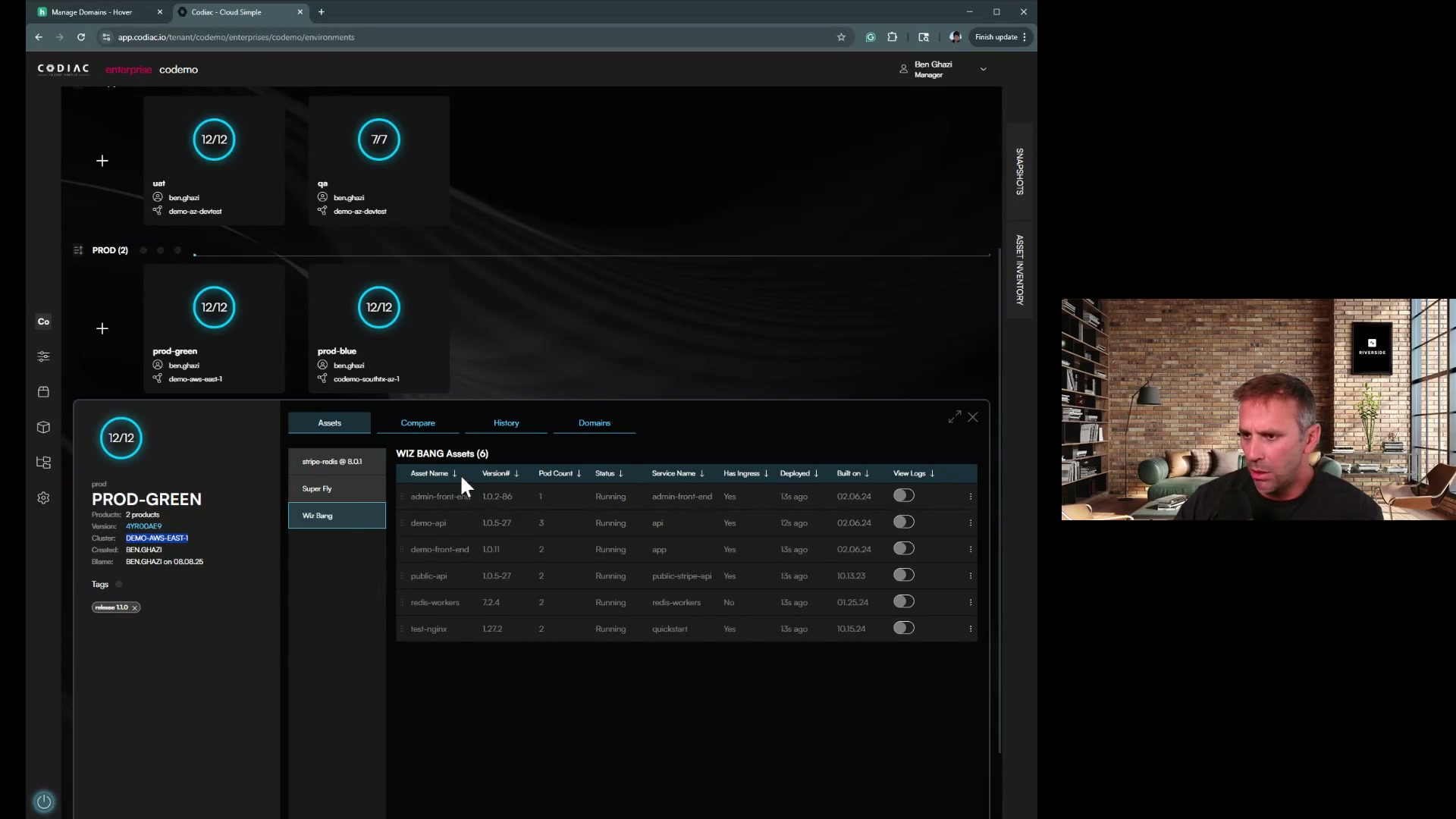
Quick Start: Blue/Green Cluster Upgrade
The workflow:
-
Provision new cluster with your desired Kubernetes version (via Terraform, eksctl, or cloud console)
-
Capture it into Codiac:
codiac cluster captureThe CLI prompts you for provider, region, and cluster name.
-
Deploy your existing workloads from snapshot:
codiac snapshot deployThe CLI prompts you to select a snapshot version and target cabinet.
-
Validate the new cluster (run tests, check health)
-
Switch DNS to point to new cluster's ingress
-
Destroy old cluster when confident:
codiac cluster destroy
Downtime: Zero. Old cluster serves traffic until DNS cutover completes.
Rollback: Point DNS back to old cluster, it's still running.
Detailed Workflow
Phase 1: Provision New Cluster
Create a fresh cluster with your desired Kubernetes version using your preferred method:
- Terraform/Pulumi: Use your existing IaC to provision the new cluster
- Cloud console: Create via AWS/Azure/GCP console
- eksctl/az aks/gcloud: Use cloud-specific CLI tools
- Codiac: Run
codiac cluster createfor guided provisioning
Then capture it into Codiac:
codiac cluster capture
The CLI prompts you for:
- Cloud provider (AWS, Azure, GCP)
- Account/subscription ID
- Region
- Cluster name
Scripted mode (for automation)
# AWS
codiac cluster capture -n prod-2024-q4 -p aws -s 123456789012 -l us-east-1

# Azure
codiac cluster capture -n prod-2024-q4 -p azure -s your-subscription-id -l eastus -g your-resource-group
Time: 10-15 minutes (cloud provider dependent)
Phase 2: Migrate Workloads
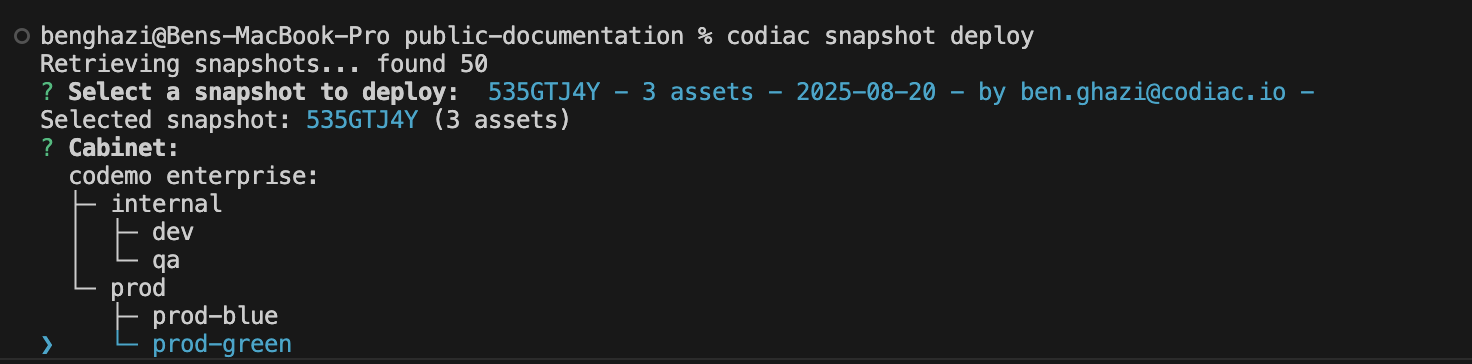
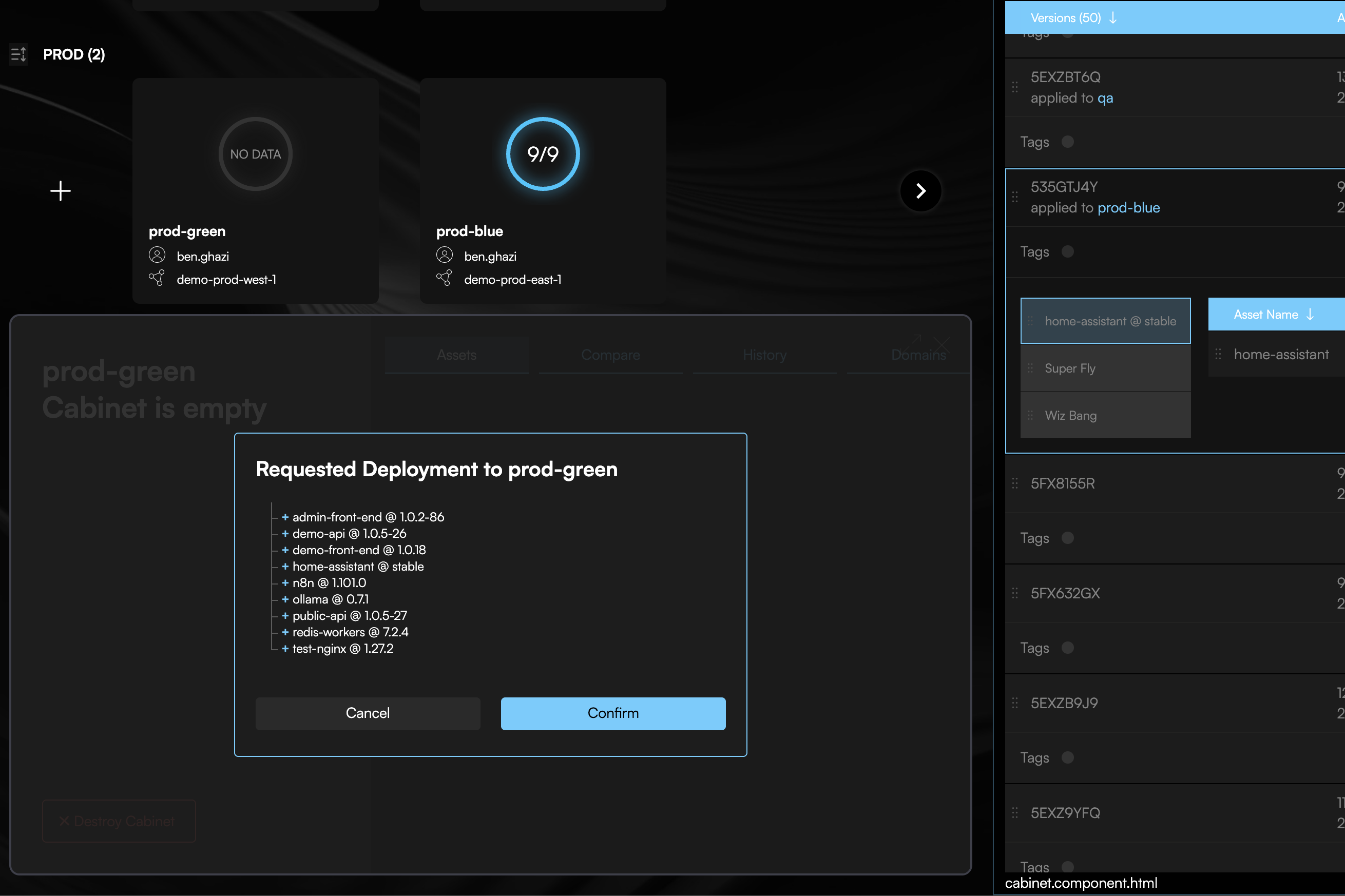
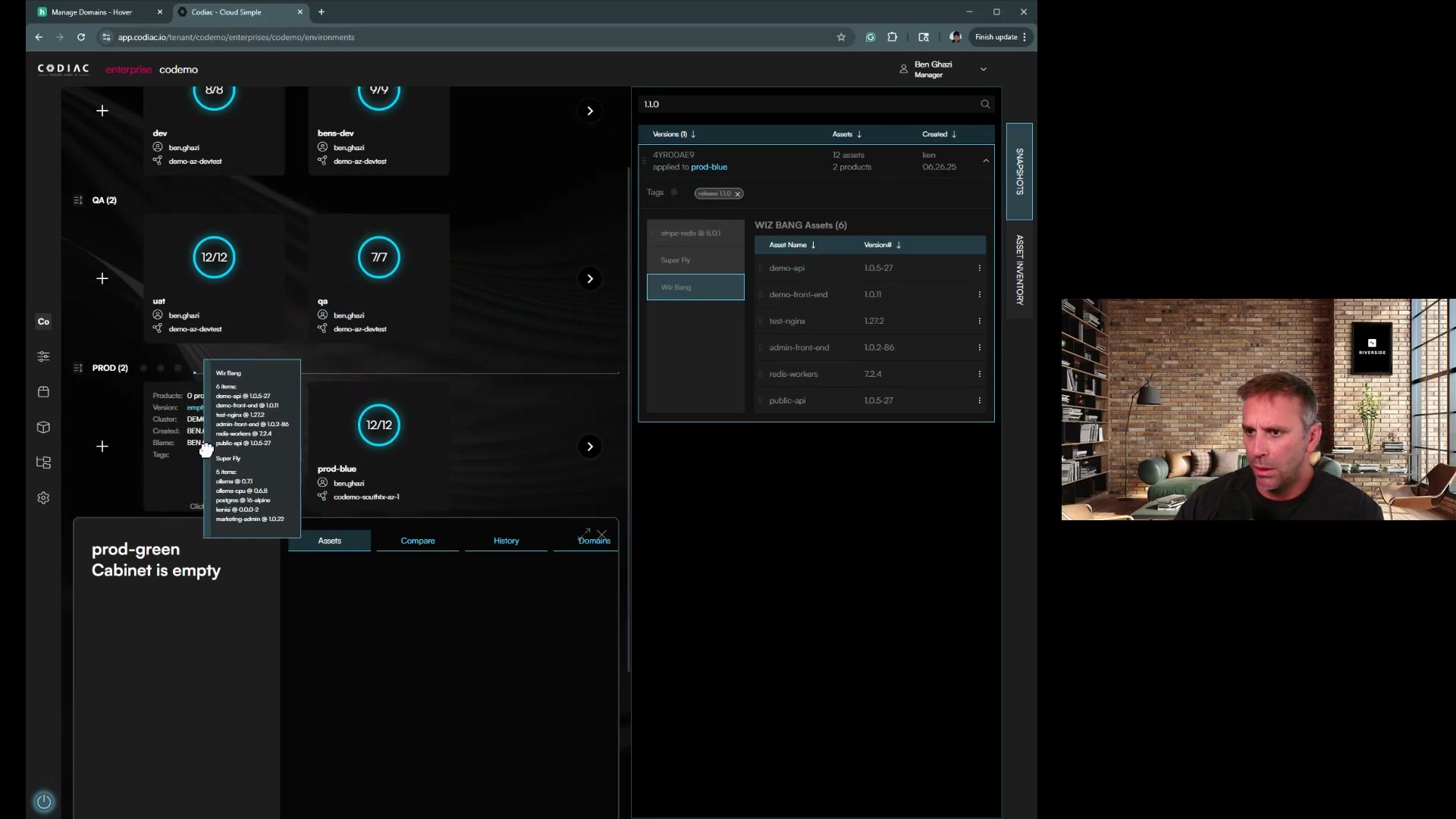
Deploy your existing workloads to the new cluster using snapshots:
codiac snapshot deploy
The CLI prompts you to:
- Select a snapshot version (Codiac automatically creates snapshots on each deployment)
- Choose the target cabinet on the new cluster
First, see available snapshots:
codiac snapshot list
What gets deployed:
- ✅ Application deployments (same image versions)
- ✅ Configuration (environment variables)
- ✅ Secrets (re-provisioned from your secret store)
- ✅ Asset configurations and settings
What requires separate handling:
- ❌ Persistent volumes (requires backup/restore or database migration)
- ❌ Pod-specific state (ephemeral by nature)
Time: 2-5 minutes per cabinet
Phase 3: Validate New Cluster
Verify workloads are running:
# View cabinet status in the new cluster
codiac cabinet list
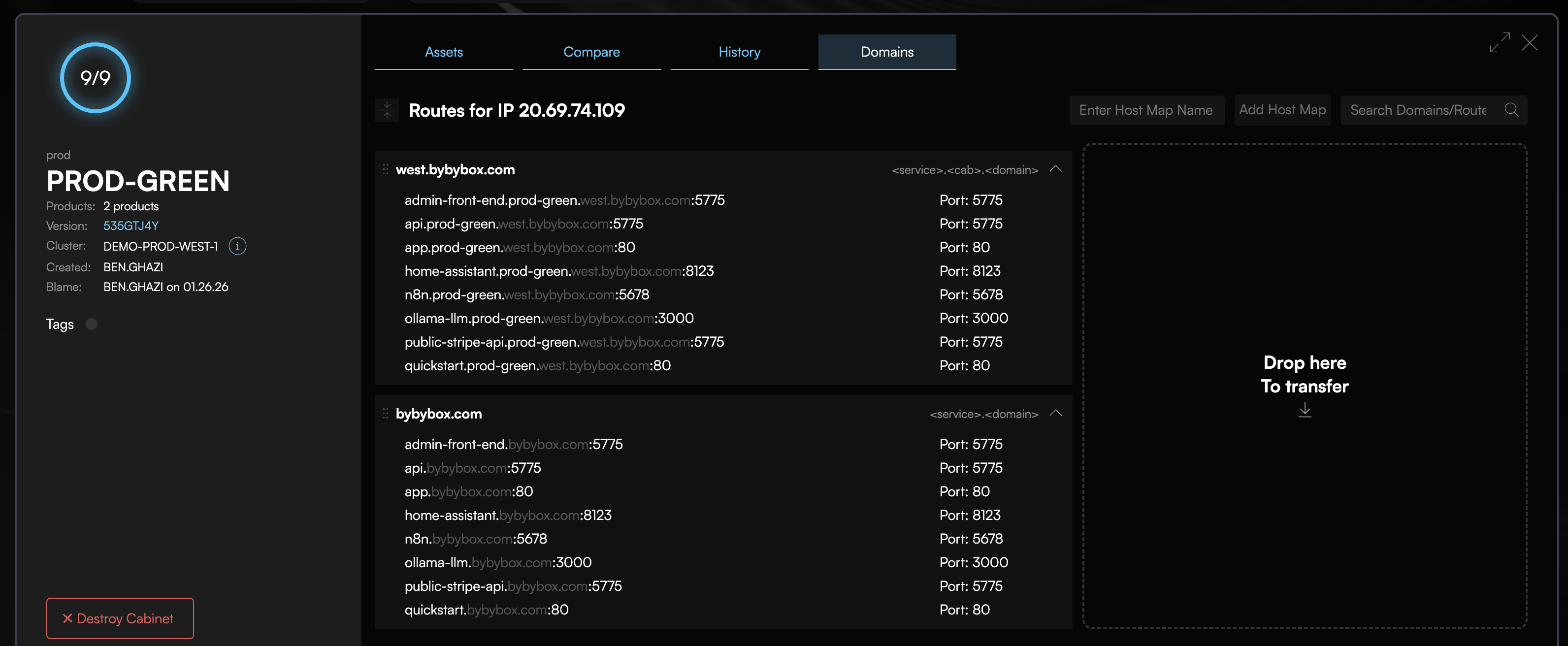
The web UI at app.codiac.io provides a dashboard view of all pods, their health status, and logs.
Validation checklist:
- All pods running and healthy
- Ingress returning 200 OK responses
- Certificates valid and trusted
- Database connectivity working
- External API integrations responding
- Logging and monitoring operational
- Performance metrics within acceptable range
Testing strategies:
- Parallel testing: New cluster receives copy of production traffic (via traffic mirroring at ingress level)
- Canary testing: Route small % of real users to new cluster via DNS or load balancer
- Synthetic testing: Run your existing test suites against new cluster endpoints
Phase 4: Traffic Cutover
Switch DNS to the new cluster:
Get your new cluster's ingress IP from the Codiac web UI or your cloud provider console, then update your DNS records to point to the new cluster.
What happens:
- Update your DNS records to point to the new cluster's ingress IP
- DNS TTL honored (typically 60-300 seconds for propagation)
- Old cluster continues serving requests until DNS propagates
- Once all DNS resolvers updated, traffic flows to new cluster
- Old cluster remains running but idle (safe to decommission after validation)
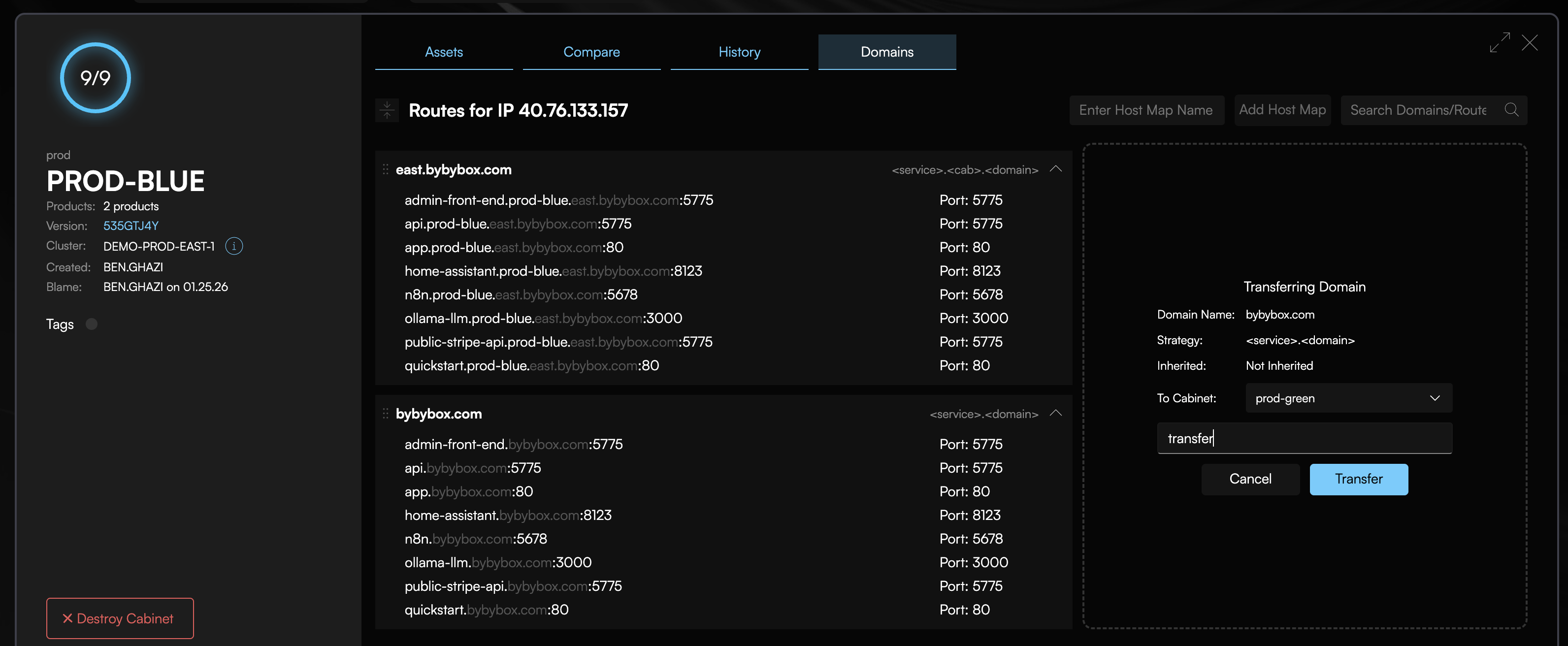
DNS cutover process:
# Get new cluster info
codiac cluster list

# Update your DNS provider with the new ingress IP:
# A record: *.mycompany.com → [new-cluster-ingress-ip]
Rollback if issues detected:
Simply point your DNS back to the old cluster's ingress IP - it's still running and serving traffic.
Phase 5: Decommission Old Cluster
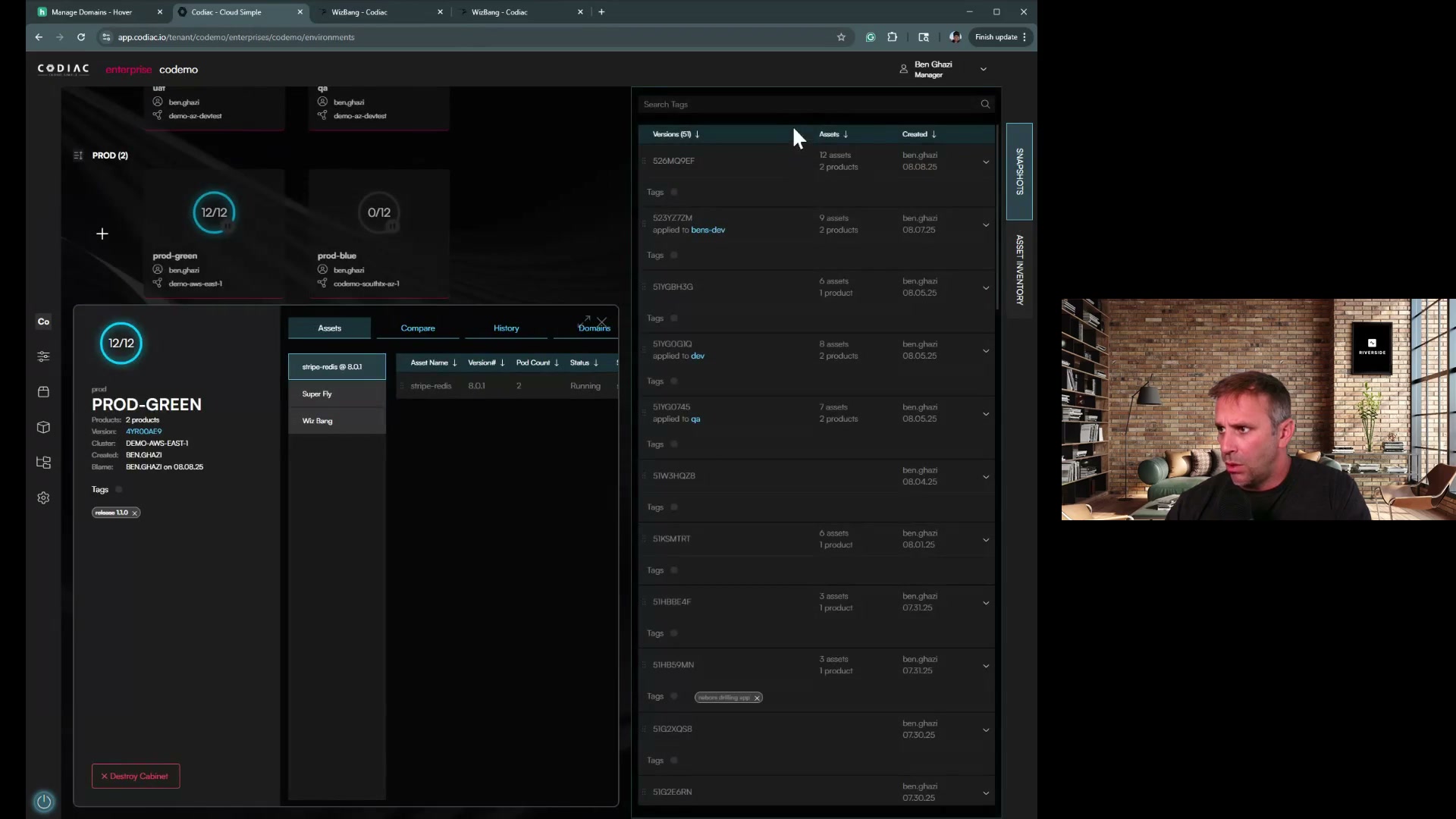
Wait period: 24-72 hours (ensure new cluster stable)
Monitor your new cluster using your existing observability tools (Datadog, Prometheus, etc.) to verify it's handling all traffic correctly.
When confident, destroy the old cluster:
codiac cluster destroy
The CLI prompts you to select which cluster to destroy.
Scripted mode (for automation)
codiac cluster destroy -n prod-old
Cost savings: Eliminates old cluster infrastructure costs immediately.
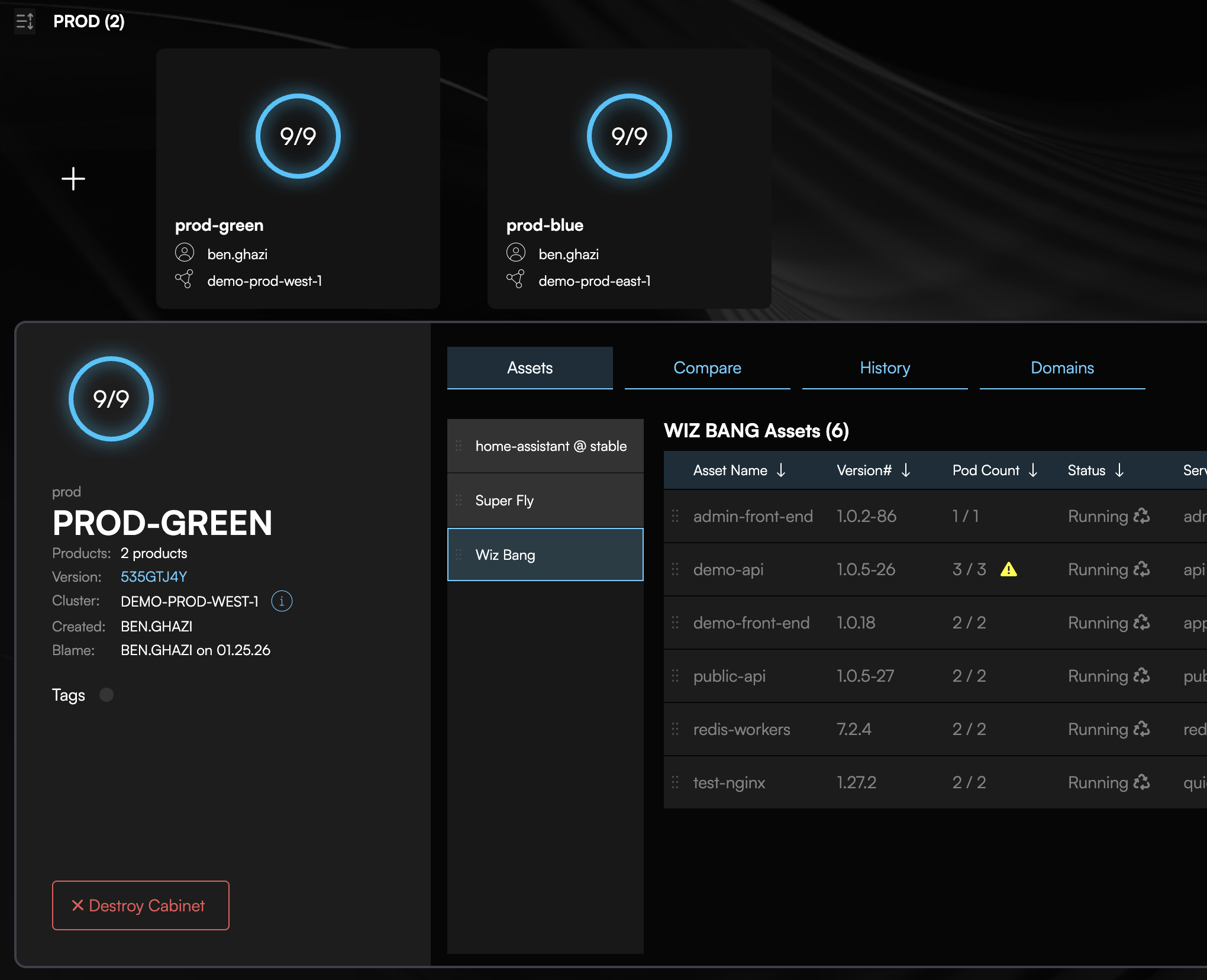
Comparison: Codiac vs Traditional Upgrades
| Aspect | Traditional In-Place Upgrade | Codiac Blue/Green Migration |
|---|---|---|
| Downtime | 5-30 minutes (node draining, rolling restarts) | Zero (traffic cutover instant) |
| Risk | High (can't rollback mid-upgrade) | Low (old cluster untouched) |
| Rollback | Complex (restore etcd backup, re-apply manifests) | Instant (revert DNS) |
| Testing | Limited (can't test without affecting prod) | Full (new cluster isolated) |
| Upgrade time | 2-4 hours (manual steps, coordination) | 30 minutes (automated) |
| Team coordination | Required (maintenance window) | Optional (anytime cutover) |
| Node pool changes | Risky (cascading evictions) | Safe (fresh nodes) |
| Configuration migration | Manually re-apply all ConfigMaps, Secrets, RBAC, network policies per cluster | Use cod snapshot deploy - entire configuration copied automatically |
| Documentation updates | Update runbooks, cluster-specific docs, team wikis for new version | Zero - Codiac snapshots are self-documenting, no cluster-specific docs needed |
Traditional upgrade: 30 minutes per service × 40 services = 20 hours re-applying configurations, troubleshooting version compatibility, updating documentation.
Codiac snapshot migration: cod snapshot deploy --version latest --cabinet new-cluster = 2 minutes. Complete configuration state replicated automatically.
Because Codiac captures your entire configuration in snapshots, you never reconfigure the same thing twice. Upgrade 5 clusters or 50 clusters - same effort. No GitOps drift, no forgotten ConfigMaps, no wiki pages to update.
Common Upgrade Scenarios
Scenario 1: Kubernetes Version Upgrade
Goal: Upgrade from K8s 1.29 to 1.31 (skip 1.30)
Steps:
-
Provision new cluster with K8s 1.31 using your IaC (Terraform, eksctl, etc.)
-
Capture the new cluster:
codiac cluster capture -
Deploy workloads from snapshot:
codiac snapshot deploySelect your latest snapshot and the target cabinet on the new cluster.
-
Validate - Run your test suites against the new cluster
-
Cutover - Update DNS to point to the new cluster
-
Destroy old cluster when confident:
codiac cluster destroy
Time: Under an hour, zero downtime
Scenario 2: Change Node Instance Types
Goal: Upgrade from m5.large to m5.xlarge for better performance
Steps:
-
Provision new cluster with m5.xlarge nodes using your IaC
-
Capture the new cluster:
codiac cluster capture -
Create cabinets and deploy from snapshot:
codiac cabinet create
codiac snapshot deploy -
Validate performance on the larger nodes
-
Cutover - Update DNS to point to the new cluster
-
Destroy old cluster when confident
Scenario 3: Multi-Region Cluster Creation
Goal: Create new cluster in EU region to reduce latency for European users
Steps:
-
Provision EU cluster using your IaC or cloud console
-
Capture the EU cluster:
codiac cluster captureSelect your EU region when prompted.
-
Create cabinets and deploy from snapshot:
codiac cabinet create
codiac snapshot deploy -
Configure geo-routing at your DNS provider or load balancer to route European users to the EU cluster
This isn't an upgrade but demonstrates the cluster replication pattern.
Advanced: Gradual Migration (Canary Upgrade)
Migrate cabinets one at a time instead of all-at-once:
Steps:
-
Provision new cluster with your target Kubernetes version
-
Capture the new cluster:
codiac cluster capture -
Create a low-risk cabinet first:
codiac cabinet createCreate the cabinet on the new cluster.
-
Deploy a single workload from snapshot:
codiac snapshot deployDeploy only the low-risk workload to test.
-
Update DNS for just this workload to point to the new cluster
-
Monitor for 24 hours, then migrate the next workload
-
Repeat until all cabinets are migrated
Advantage: Minimize blast radius if compatibility issues arise.
Handling Persistent Volumes
Challenge: Persistent volumes (PVs) are tied to specific clusters/nodes.
Migration strategies:
Option 1: Backup and Restore (Recommended)
Use your cloud provider's snapshot tools to backup and restore persistent volumes:
- Backup data before migration using cloud-native tools (EBS snapshots, Azure Disk snapshots, etc.)
- Provision new cluster and capture it into Codiac
- Create cabinet and deploy workloads from snapshot
- Restore data to the new cluster's volumes
Option 2: Managed Database Migration
For production databases, use managed services:
- AWS: RDS snapshot → restore to new RDS instance → update connection string
- Azure: Azure SQL backup → point-in-time restore
- GCP: Cloud SQL automated backups
Update configuration for the new cluster:
codiac config set
The CLI prompts you to set the new database connection string for the appropriate cabinet.
Option 3: Live Replication (Zero Downtime for Databases)
For stateful apps requiring continuous availability:
- Set up database replication from old cluster to new cluster
- Let replication catch up (lag < 1 second)
- Cutover application to new cluster
- Promote new database replica to primary
Codiac doesn't automate database replication, but integrates with your existing replication tools.
Troubleshooting
Pods Not Starting in New Cluster
Symptoms: Pods stuck in Pending or CrashLoopBackOff state after migration.
Common causes:
- Node resources insufficient - New cluster nodes smaller than old cluster
- Image pull errors - Registry authentication not configured
- Configuration missing - Secrets/ConfigMaps not migrated
- API version incompatibility - Deprecated APIs in new K8s version
Debug:
Use the Codiac web UI at app.codiac.io to view pod status, logs, and events. You can also use kubectl directly:
kubectl get pods -n your-namespace
kubectl describe pod <pod-name> -n your-namespace
kubectl get nodes
Certificate Issues After Migration
Symptoms: HTTPS not working on new cluster, cert-manager errors.
Cause: TLS certificates tied to old cluster's ingress controller.
Solution: DNS must point to the new cluster for Let's Encrypt HTTP-01 challenge to succeed. Once DNS is updated:
- Cert-manager will automatically request new certificates
- Monitor certificate status in the Codiac web UI or via kubectl:
kubectl get certificates -n your-namespace
kubectl describe certificate <cert-name> -n your-namespace
If certificates aren't issuing, verify your ingress controller is properly configured and DNS is resolving to the new cluster.
DNS Propagation Delays
Symptoms: Some users still hitting old cluster hours after cutover.
Cause: DNS caching by ISPs or client resolvers.
Solutions:
- Lower DNS TTL before upgrade (set to 60 seconds, 24 hours in advance)
- Wait for propagation (typically complete within 5 minutes for properly configured DNS)
- Parallel operation (run both clusters simultaneously for 24 hours)
Cost Optimization
Cluster upgrades cost money (two clusters running simultaneously).
Minimize costs:
- Compress timeline - Complete migration within hours, not days
- Downsize old cluster - Scale down old cluster nodes immediately after cutover
- Off-hours upgrades - Perform during low-traffic periods
- Spot instances for new cluster - Use spot/preemptible nodes during testing phase
Typical cost:
- Running both clusters for 4 hours = ~16% of monthly cluster cost
- Far cheaper than downtime or failed upgrade recovery
Related Documentation
- Multi-Cluster Management - Managing multiple clusters simultaneously
- System Versioning - Snapshot-based deployments for migrations
- Certificate Management - TLS certificate handling during upgrades
- Dynamic Configuration - Configuration updates across clusters
- CLI: Cluster Management - Command reference
FAQ
Q: Can I upgrade without creating a new cluster?
A: Not recommended. In-place upgrades are higher risk and harder to roll back. Codiac's blue/green approach is safer.
Q: How long can I run both clusters in parallel?
A: As long as needed. Some teams run parallel for 72 hours to ensure stability. Most complete within 4-24 hours.
Q: Do I need downtime for DNS cutover?
A: No. DNS propagation means both clusters serve traffic during transition (60-300 seconds typically).
Q: Can I upgrade multiple environments at once?
A: Yes, but upgrade dev/staging first to validate process before upgrading production.
Q: What if the new cluster has issues after cutover?
A: Instantly roll back by promoting the old cluster again. Old cluster remains running until you delete it.
Q: Do you support in-place node pool upgrades?
A: Codiac recommends blue/green cluster migration for production upgrades. For in-place node pool upgrades, use your cloud provider's native tools (eksctl, az aks, gcloud) and Codiac will continue managing your workloads.
Start your first zero-downtime upgrade: Create a test cluster